Feature
Watchlists & Mini-Charts
A TradersLab watchlist is a personal or shared list of tickers you use to track and quickly review potential trades. Build private lists or follow community lists, add stocks from anywhere in the app, and page through every name with live prices and full charts.
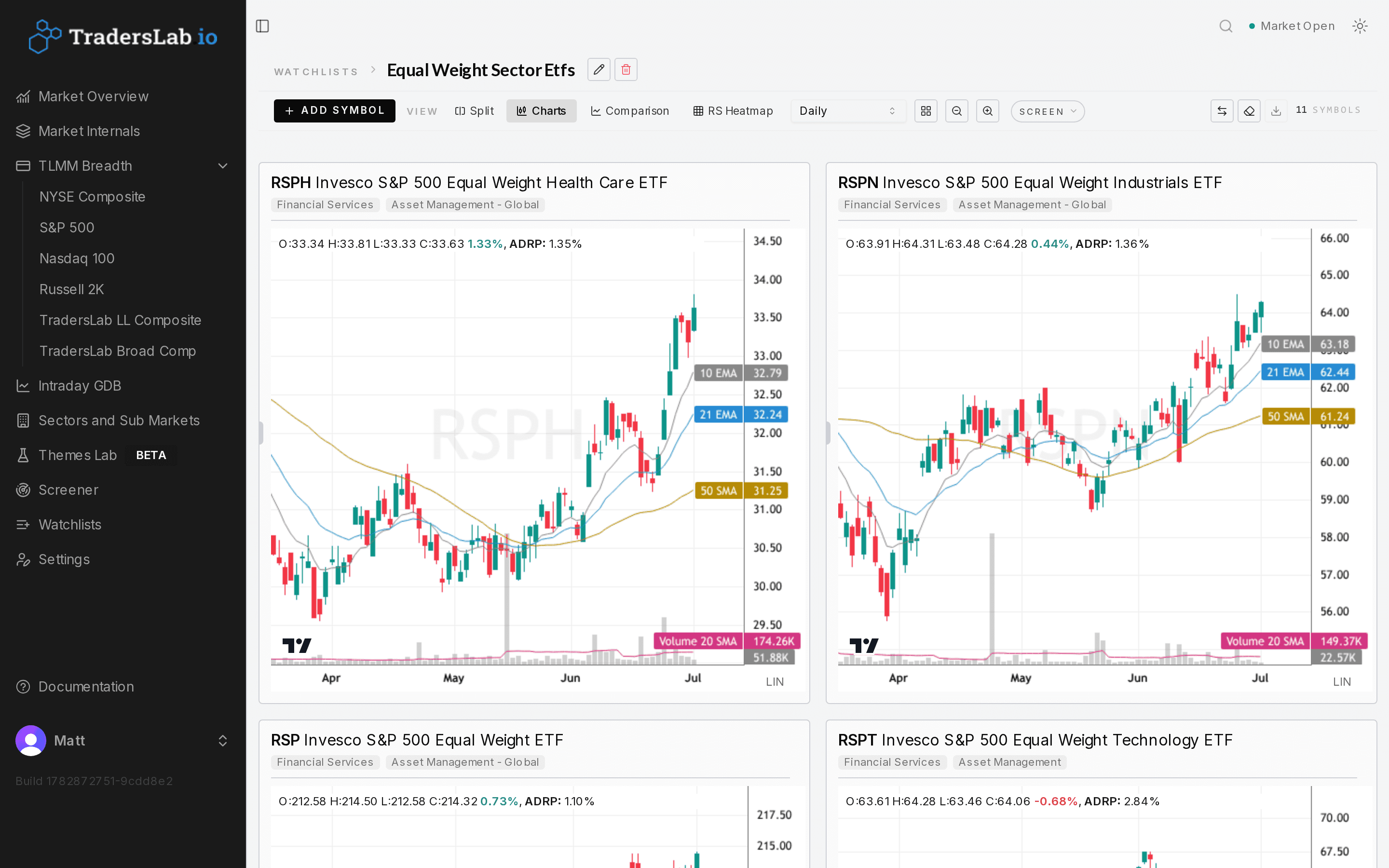
Private lists or shared community lists
Watchlists are containers for the tickers you want to keep an eye on. Each trader can build private My Watchlists that only they can see, or public Community Watchlists that are shared with and discoverable by the wider TradersLab community — so you can follow what other traders are tracking and borrow their focus lists.
Create a list from scratch by naming it, choosing Private or Public, and optionally pasting tickers separated by commas, spaces or line breaks, then click Create. Prune a list at any time by selecting stocks and clicking Remove.
Save candidates from anywhere in the app
A Save to Watchlist action appears throughout the product — on the Stock Screener, the Mini-Charts view, the Sectors and Sub Markets dashboard, and individual Stock pages — so a stock you find anywhere can be filed into a list in a couple of clicks. On the Screener, the Save to Watchlist button sits at the top right, and it saves selected matches into a new or existing list.
That turns your daily scan into an ongoing focus list: run a screen, send the qualifying names to a watchlist, and keep tracking them without rebuilding the scan each time.
Review the whole list with charts and live data
Once a list is built, clicking any ticker opens the full stock view with charts, technical indicators and company data, and navigation arrows let you page through the entire list without leaving the detail view. Prices and movements update in real time, so a watchlist doubles as a live monitoring board.
The feature is fully available on mobile, so lists can be created, edited and reviewed away from the desk.
Who it's for
- Active and swing traders who need to organize trade candidates and monitor a focused set of names in real time
- Traders who scan daily and want to send screener results straight into a tracked list
- Anyone who wants to share their setups or follow the lists other community members are tracking
Frequently asked questions
How do I create a watchlist in TradersLab?
Go to the Watchlists section and click New Watchlist, name it, choose Private or Public, optionally paste tickers separated by commas, spaces or line breaks, then click Create. You can also add stocks on the fly from elsewhere in the app.
What is the difference between a private and a community watchlist?
A private My Watchlist is visible only to you. A public Community Watchlist is shared with and discoverable by the wider TradersLab community, so other traders can follow what you're tracking and you can follow their lists.
How do I add a stock to my watchlist from the screener?
Select your matches and use the Save to Watchlist button, which sits at the top right of the Screener, to add them to a new or existing list. The same Save to Watchlist action is also available from Mini-Charts, the Sectors and Sub Markets dashboard, and individual Stock pages.
Can I use TradersLab watchlists on my phone?
Yes. Watchlists are fully mobile accessible, so you can create, edit and review lists on the go, with prices updating in real time.
Related reading
See it on live market data
Start free and explore watchlists with real-time data.